Custom Name Badge Printing for Events
Badges That Print Themselves
Attendees check in and their custom name badge prints on the spot. Skip the pre-event sorting and alphabetical tables. Stop printing event name tags for no-shows (the average event sees 30% no-show rates). From $600/event.
Start for Free
Badge Printing Features
Drag-and-drop badge designer, auto-print on check-in, and batch pre-printing.
Drag-and-Drop Name Badge Maker
Design your custom name badge once, reuse it for every event. Add your logo, dynamic fields (name, company, role), QR codes, and color-coded categories. Create conference name badges, event name tags, or any badge design.
Auto-Print on Check-in
The moment an attendee scans their QR code, their badge starts printing. By the time they look up, it's ready.
Batch Pre-Printing
Pre-print all badges before the event for traditional distribution. Or combine: pre-print VIPs, print on-demand for general admission.
Dynamic Fields & QR Codes
Badges automatically populate with attendee data — name, company, title, ticket type. Each badge includes a scannable QR code.
Multiple Badge Sizes & Formats
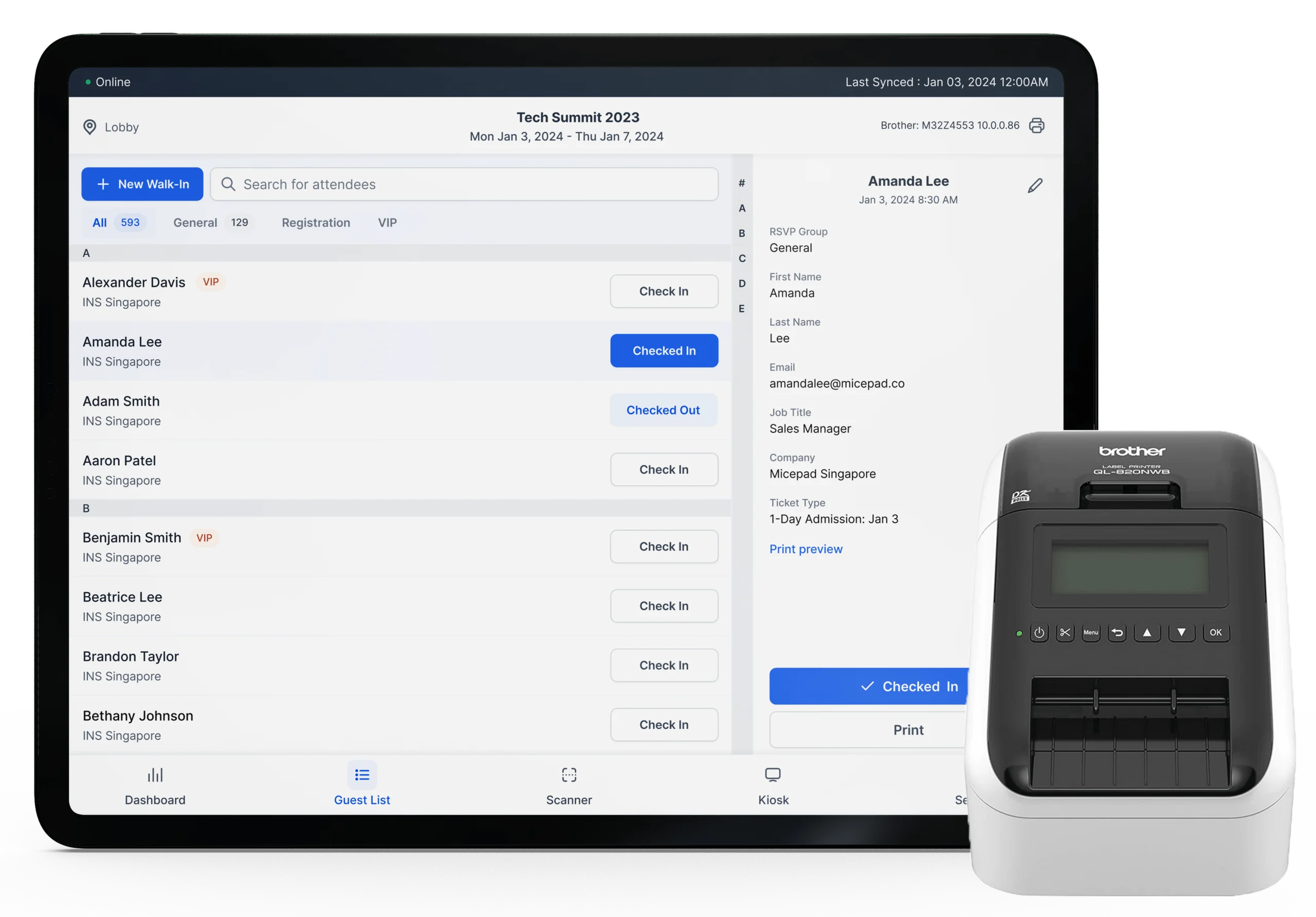
Standard name badges, lanyards, wristbands, or custom sizes. Works with popular name badge printers including the Zebra ZD421 and Brother QL-820NWB, plus regular inkjet and laser printers.
Color-Coded Categories
Spot VIPs, speakers, exhibitors, and general attendees at a glance with color-coded badge designs.
Conference Badges
Attendees check in at a self check-in kiosk and walk away with their conference name badge in seconds. You skip the night-before sorting session, and you only print conference name tags for people who actually show up.
- Auto-print on QR check-in
- Dynamic name, company, and role fields
- Color-coded by attendee category
Corporate Events
Clean, branded badges for corporate events. Pre-print executive badges, print on-demand for general attendees and walk-ins.
- Brand-consistent badge designs
- VIP pre-printing with on-demand for others
- Walk-in badges generated on the spot

Tradeshow & Expo Badges
High-volume badge printing for tradeshows. Different designs for exhibitors, buyers, and media. Fast printing keeps lines short.
- Different badge templates by registration type
- High-volume thermal printing
- QR codes on badges for lead scanning
Multi-Day Events
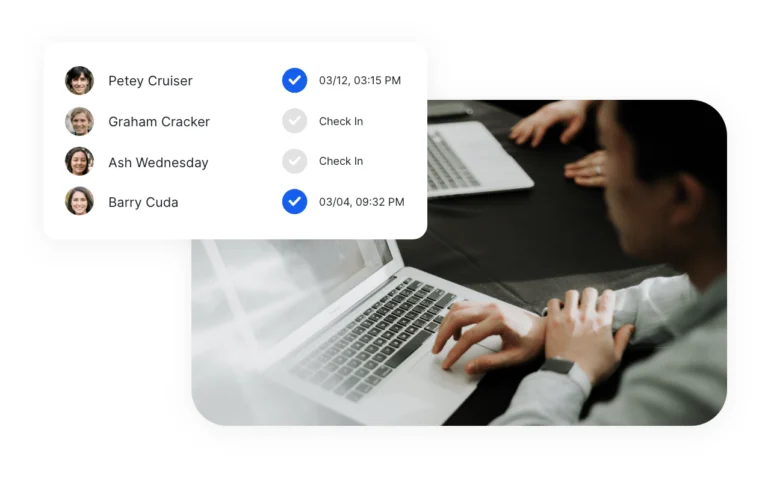
Day-specific badges or single badges for the entire event. Track which days each attendee has checked in.
- Day-specific or event-wide badges
- Re-print lost badges instantly
- Track daily attendance separately
Frequently Asked Questions
On-demand badge printing means badges are printed the moment an attendee checks in, rather than pre-printed and sorted beforehand. This eliminates pre-event badge sorting, handles walk-ins and last-minute changes automatically, and means no wasted badges for no-shows.
Micepad works with popular name badge printers including the Zebra ZD421, Zebra ZD621, Brother QL-820NWB, and Brother QL-1110NWB for professional-quality event name badges. Standard inkjet and laser printers work for basic name tags. We recommend thermal badge printers for speed and durability at events.
Yes. Micepad includes a drag-and-drop badge designer where you can add your event logo, customize colors, add dynamic fields (name, company, role, ticket type), include QR codes, and create color-coded designs for different attendee categories.
A thermal badge printer typically prints a badge in 2-5 seconds. Combined with QR check-in (under 3 seconds), the entire check-in-and-badge process takes under 10 seconds per attendee.
Yes. Micepad supports batch pre-printing for your entire attendee list. You can also combine approaches — pre-print VIP badges and print on-demand for general admission.
Badge printing starts at $600/event for up to 250 attendees (Micepad Pro plan). The Event Hub plan ($750/event) adds registration and ticketing. Compare that to Cvent OnArrival, which requires custom enterprise quotes. Badge supplies (thermal labels, lanyards) are purchased separately.
For event badge printing, we recommend the Zebra ZD421 (best for high-volume events) or Brother QL-820NWB (great for standard name badges). Both connect via USB or WiFi and print badges in 2-5 seconds. Micepad also works with regular inkjet and laser printers if you don't need thermal labels.
Micepad's free tier includes access to the drag-and-drop name badge maker for up to 50 attendees. Design custom name badges with your event logo, attendee names, companies, and QR codes. Free conference badge templates are included to get you started quickly.
Design your first badge template right now
Create a free account, open the drag-and-drop badge designer, and see your badge come together in minutes. Your first event is on us.
Design Your First Badge